

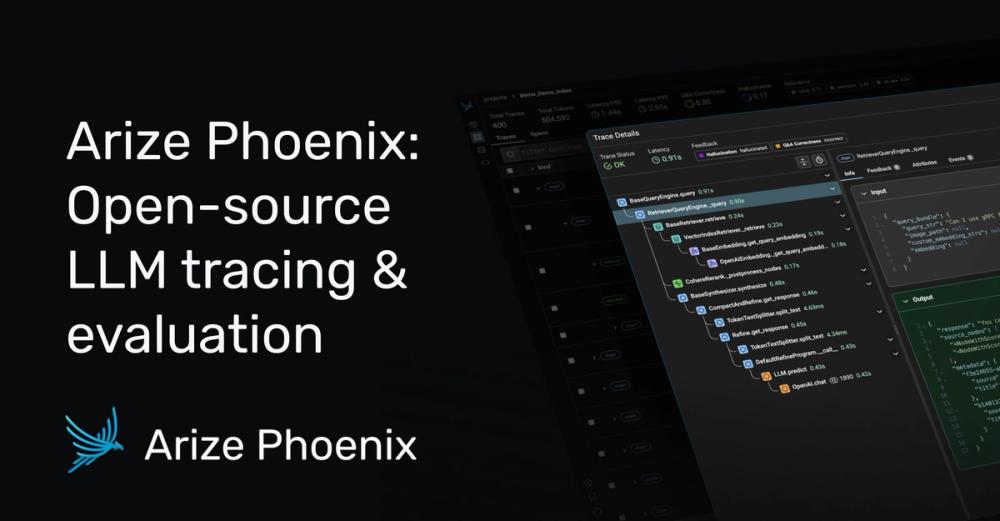
What is Arize Phoenix?
Arize Phoenix is an open-source observability and evaluation tool for LLM applications and AI agents, built by Arize AI. It captures traces of your app's model calls, retrieval steps and tool calls, so you can see exactly what happened in each request and where it went wrong. Phoenix also includes tools for evaluation, datasets, experiments and prompt iteration. It is built on OpenTelemetry, runs locally or self-hosted, and connects to Arize's commercial cloud platform for larger teams.
Key features
- Tracing: visualize every step of LLM and agent runs, including inputs, outputs and latency.
- OpenTelemetry-native: traces use open standards and work with tools you already use.
- Auto-instrumentation: integrations for popular frameworks and model providers through OpenInference.
- Evaluations: run LLM-as-judge and code-based evals with the Phoenix evals library.
- Datasets and experiments: compare prompts, models and app versions on test sets.
- Prompt management and playground: iterate on prompts and replay traced calls.
- Run anywhere: in a notebook, locally, in a container or self-hosted.
Who is it for?
Phoenix is for AI engineers and data scientists building RAG systems and agents who want an open-source way to debug and evaluate them, and for teams that prefer to self-host their observability data.
Use cases
- Debugging RAG pipelines and multi-step agents
- Evaluating answer quality, relevance and hallucinations
- Comparing prompts and models with experiments
- Monitoring LLM apps during development and in production
- Building test datasets from real traces
Pricing
Phoenix is free and open source to run locally or self-host. Arize also offers a cloud platform with a free starting tier and paid plans. See the official Phoenix site for options.
What's new and trending
Phoenix ships frequently from its public repository. arize-phoenix v20.26.1 was released on October 25, 2026, and the arize-phoenix-evals v3.9.4 package on October 24, 2026 (release notes).
Getting started
- Install Phoenix with
pip install arize-phoenix. - Start it locally with
phoenix serve, or run the Docker image. - Install the OpenInference instrumentation for your framework or model provider.
- Send traces from your app and open the Phoenix UI.
- Create a dataset and run your first evaluation.
Alternatives
LangSmith and Langfuse are other LLM tracing and evaluation platforms, and SigNoz covers OpenTelemetry-based observability more broadly. For routing between models, see LiteLLM, and for building agents, CrewAI and Mastra.
FAQ
Is Arize Phoenix open source? Yes. Phoenix is open source and can be run locally or self-hosted.
Does Phoenix use OpenTelemetry? Yes. Phoenix has native OpenTelemetry support.
Can Phoenix evaluate LLM outputs? Yes. The evals library supports LLM-as-judge and code-based evaluations.
Do I need an Arize account? No. Phoenix runs on its own. Arize's cloud platform is optional.
Which frameworks does Phoenix support? Many popular LLM frameworks and providers through OpenInference instrumentation; see the docs for the current list.


