

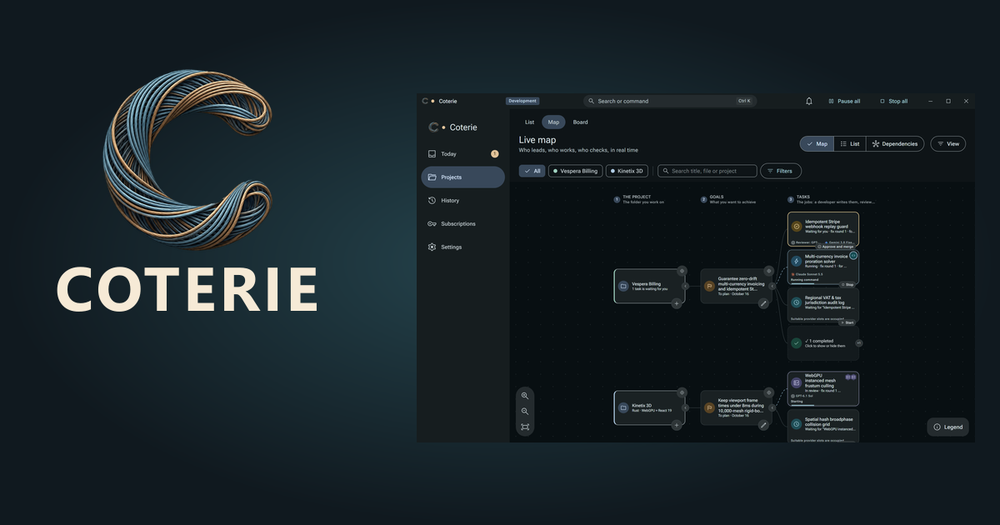
What is Coterie?
Coterie, from Offline Studio, is a desktop app that turns the AI coding command-line tools you already pay for into a coordinated team. You give it a goal. An architect model plans the work, agents build pieces in parallel, each in its own git worktree, and a model from a different provider reviews the result. Coterie then runs your tests on the exact tree the reviewer saw, and you test the finished project before you merge.
Coterie is currently in beta for Windows 10 and 11 (64-bit).
Key features
- Plan, build, review: distinct roles for planning, building and reviewing.
- Cross-provider review: reviews come from a different provider than the author.
- Parallel agents: each agent works in its own git worktree.
- Real tests: Coterie runs your tests on the reviewed tree, so "it passed" means something.
- Test the result: opens the finished project in its own window, cut off from the network, before you merge.
- Quota-aware routing: reads each CLI's usage and sends work to models that still have room. If one runs out, the next in the list takes over.
- Per-role model lists: choose and order models for each role and set limits per project.
- Approvals: a Today page shows tasks waiting for your approval.
Who is it for?
Coterie is for developers who already use Claude Code, Codex or Antigravity and want them to work together, with checks, instead of running one agent at a time.
Use cases
- Splitting a feature into parallel tasks across several agents
- Getting a second opinion on generated code from another provider
- Making use of quota across multiple AI subscriptions
- Reviewing and testing agent work before merging
Pricing
Coterie uses the subscriptions you already have. Provider subscriptions are separate. For download and beta details, see offlinestudio.eu/coterie.
Getting started
- Make sure you are on Windows 10 or 11 (64-bit) with git installed.
- Install and sign in to at least one of Claude Code, Codex or Antigravity.
- Download the beta from offlinestudio.eu/coterie. The beta is unsigned, so Windows may warn you.
- Open your repository and set the models for each role.
- Give Coterie a goal, approve tasks, then test the result and merge.
Alternatives
Use the agents directly with Claude Code or Codex, or try OpenHands and Roomote.
FAQ
Which coding tools does Coterie work with? Claude Code, Codex and Antigravity.
Does Coterie need its own AI subscription? No. It uses the CLI subscriptions you already have.
How does Coterie avoid agents clashing? Each agent works in its own git worktree.
Who reviews the code? A model from a different provider than the one that wrote it.
Which operating systems are supported? The beta runs on Windows 10 and 11 (64-bit).


