What is Descript?
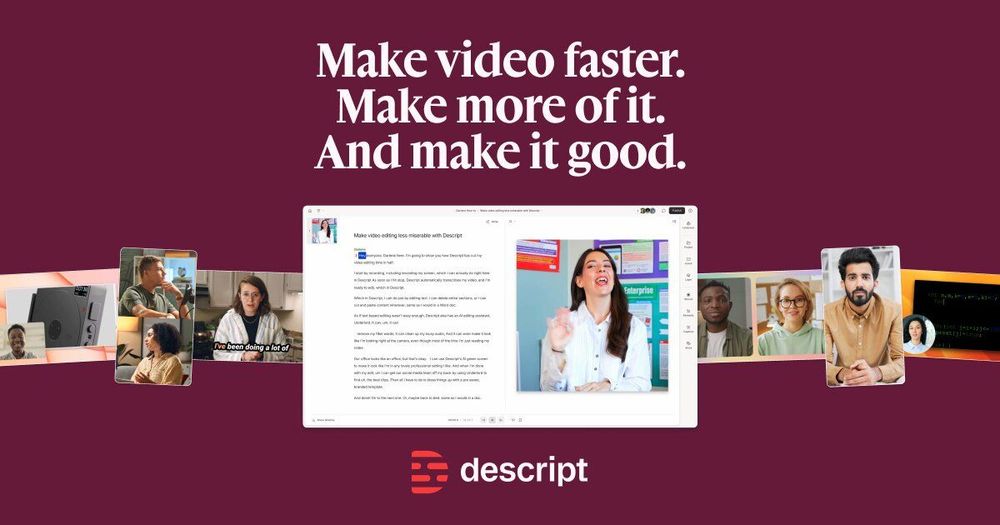
Descript is an all-in-one video and audio editor built around text. It transcribes your recording, and you edit the media by editing the transcript, just like a document: delete words to cut them, rearrange sentences to rearrange clips. On top of that, Descript adds AI tools for removing filler words, improving audio, generating clips and creating AI voices. Its AI co-editor, Underlord, can take instructions in plain language and carry out edits for you. Descript also connects to AI assistants like Claude and ChatGPT through MCP.
Key features
- Text-based editing: edit video and audio by editing the transcript.
- Underlord: an AI co-editor that performs edits from your instructions.
- Transcription: automatic, editable transcripts.
- AI voices: generate or fix lines with an AI voice.
- Audio cleanup: AI tools for improving sound and removing filler words.
- Screen and webcam recording: record directly in Descript.
- Clips and captions: create social clips with captions.
- MCP: let assistants such as Claude and ChatGPT run Descript tasks.
Who is it for?
Descript is for podcasters, YouTubers, marketers, educators and developer advocates who make demos, tutorials and talks, and for anyone who finds traditional timeline editors slow.
Use cases
- Editing podcasts and interviews
- Product demos and screen-recorded tutorials
- Social clips from long videos
- Fixing mistakes with AI voice instead of re-recording
- Team video messaging and internal training
Pricing
Descript has a free option and paid plans priced per person per month that add media hours, AI credits, 4K export and full access to Underlord. See the official Descript pricing page for current details.
What's new and trending
Descript's October 13, 2026 release roundup added a search bar for your whole drive with a full results page, a way for enterprise teams to request recordings without scheduling, and AI voice lines that keep your accent (changelog).
Getting started
- Sign up at descript.com and download the app or use it in the browser.
- Import a recording or record your screen and camera.
- Wait for the transcript, then edit by deleting or moving text.
- Ask Underlord to remove filler words or tighten the edit.
- Export your video or publish a shareable link.
Alternatives
For AI video and voice, see HeyGen for AI avatars and ElevenLabs for voice generation. Cartesia and Deepgram offer speech APIs for developers, and AssemblyAI provides transcription.
FAQ
How does text-based editing work? Descript transcribes your media, and editing the transcript edits the video or audio.
What is Underlord? Descript's AI co-editor, which carries out edits from plain-language instructions.
Is Descript free? There is a free option. Paid plans add media hours, AI credits and higher-quality exports.
Can Descript record my screen? Yes. You can record your screen and webcam in Descript.
Does Descript work with AI assistants? Yes. Descript supports MCP so assistants like Claude and ChatGPT can use it.