

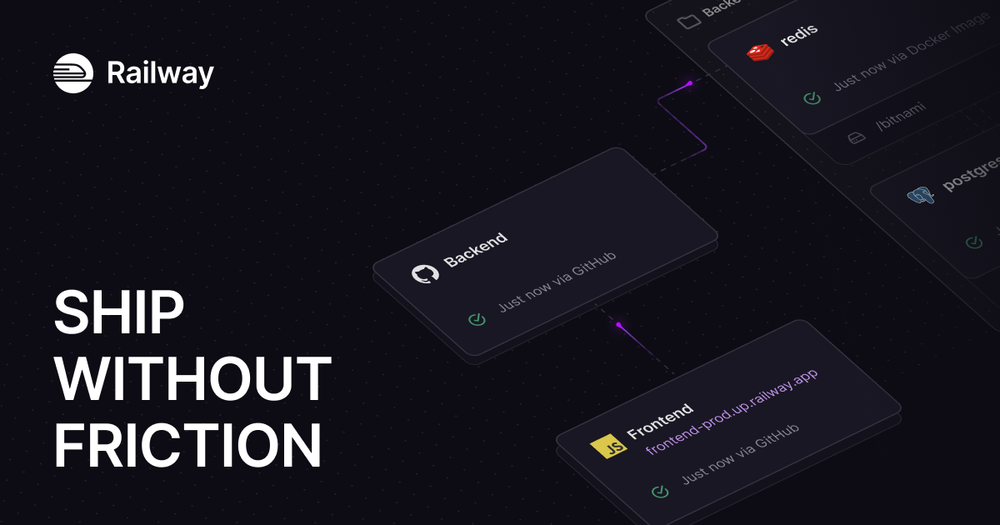
What is Railway?
Railway is an infrastructure platform that lets developers deploy and run applications without managing servers. You connect a GitHub repository, a Docker image or a template, and Railway builds and runs it, with databases and other services sitting next to it on a visual project canvas. Networking, environment variables, logs and scaling are handled for you, and you pay for the resources you use.
Key features
- Deploy from anywhere: GitHub repos, Docker images, local code with the CLI, or one-click templates.
- Automatic builds: Railway detects your language and builds without a Dockerfile, or uses yours.
- Databases: add Postgres, MySQL, Redis or MongoDB in a few clicks.
- Project canvas: see all your services, databases and volumes and how they connect.
- Environments: separate production, staging and PR environments.
- Private networking and volumes: services talk over a private network, with persistent storage.
- Observability: logs, metrics and deployment history in the dashboard.
- Cron jobs and workers: run background and scheduled workloads.
Who is it for?
Railway suits indie developers, startups and product teams that want Heroku-style simplicity with modern features, as well as anyone running long-lived services like APIs, bots, workers and databases.
Use cases
- Deploying full-stack apps with a database in minutes
- Hosting APIs, Discord bots and background workers
- Spinning up preview environments for pull requests
- Self-hosting open-source tools from templates
- Running scheduled jobs
Pricing
Railway has a Free plan, paid Hobby and Pro plans, and Enterprise, with usage-based billing for CPU, memory, storage and network. New accounts start with a trial that has higher limits. Check the official Railway pricing page for current plans.
What's new and trending
The Railway CLI is updated frequently. Version v5.71.0 was released on October 19, 2026, after v5.70.0 on October 16 (release notes).
Getting started
- Sign up at railway.com with GitHub.
- Create a new project and choose "Deploy from GitHub repo" or a template.
- Add a database from the project canvas and reference its variables in your app.
- Generate a public domain or attach a custom one.
- Install the CLI to run
railway upfrom your terminal (quick start).
Alternatives
Render and Fly.io are the closest managed alternatives. Vercel and Netlify focus on frontends and serverless functions, while Coolify and Dokploy let you self-host a similar experience. For a managed database, see Neon or Supabase.
FAQ
Is Railway free? Yes. Railway has a $0 Free plan for small apps, plus paid Hobby, Pro and Enterprise plans. See the pricing page for current limits.
Do I need Docker to deploy on Railway? No. Railway can build many apps automatically, though it also supports Dockerfiles and images.
Which databases does Railway support? Postgres, MySQL, Redis and MongoDB, plus anything you can run in a container with a volume.
Can I run background jobs? Yes. You can run workers and cron jobs as services.
Is Railway a Heroku alternative? Yes. Many teams move from Heroku to Railway for a similar push-to-deploy workflow.



