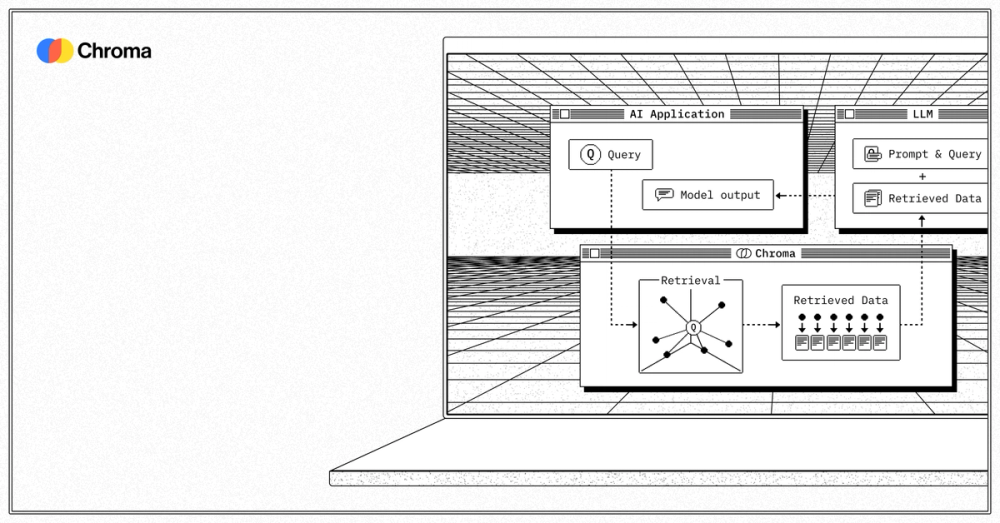
What is Chroma?
Chroma is an open-source database for AI applications, best known as an easy-to-use vector store for embeddings. It is popular for prototyping retrieval-augmented generation (RAG) because you can install it with one command and run it in memory, on disk or as a server. Chroma also offers Chroma Cloud, a managed serverless service for production workloads. Its core is open source under the Apache 2.0 license.
Key features
- Simple API: add documents and query them in a few lines of Python or JavaScript.
- Embeddings built in: use a default embedding function or plug in providers such as OpenAI or Hugging Face.
- Search: vector similarity, full-text search and metadata filtering.
- Run anywhere: in-memory, persistent local storage, client-server mode or Chroma Cloud.
- Collections: organize documents, embeddings and metadata into collections.
- Integrations: works with LangChain, LlamaIndex and other AI frameworks.
- CLI: manage local servers and cloud databases.
Who is it for?
Chroma is for developers prototyping AI apps, educators and researchers, and teams that want a simple path from a local notebook to a hosted production database. Its main appeal is the short path from idea to working retrieval: the same API works in a notebook, on a laptop and in the cloud, so you can start small and move to a hosted database without rewriting your code.
Use cases
- Prototyping RAG chatbots in a notebook
- Semantic search over documents, notes or code
- Memory for AI agents
- Small and medium production retrieval workloads on Chroma Cloud
- Teaching and experimenting with embeddings
Pricing
Chroma is free and open source to run yourself. Chroma Cloud is a usage-based managed service. See the official Chroma pricing page for current rates.
What's new and trending
Chroma 1.5.9 was published on May 5, 2026, together with CLI 1.4.4 (release notes).
Getting started
- Install it with
pip install chromadb(ornpm install chromadbfor JavaScript). - Create a client, for example
chromadb.PersistentClient(path="./db"). - Create a collection.
- Add documents with IDs and metadata.
- Query the collection with text and read back the most similar documents.
Alternatives
Qdrant and Weaviate are open-source vector databases built for large-scale production, and Pinecone is fully managed. Upstash offers serverless vectors, Supabase supports pgvector, and Mem0 focuses on memory for AI agents.
FAQ
Is Chroma free? Yes. Chroma is open source under Apache 2.0. Chroma Cloud is a paid, usage-based service.
Do I need to create embeddings myself? No. Chroma can embed documents with a default model or a provider you configure.
Can Chroma be used in production? Yes, in client-server mode or on Chroma Cloud.
Which languages are supported? Python and JavaScript/TypeScript have official clients.
Does Chroma support filtering? Yes. You can filter by metadata and document content alongside vector search.