
What is Dagger?
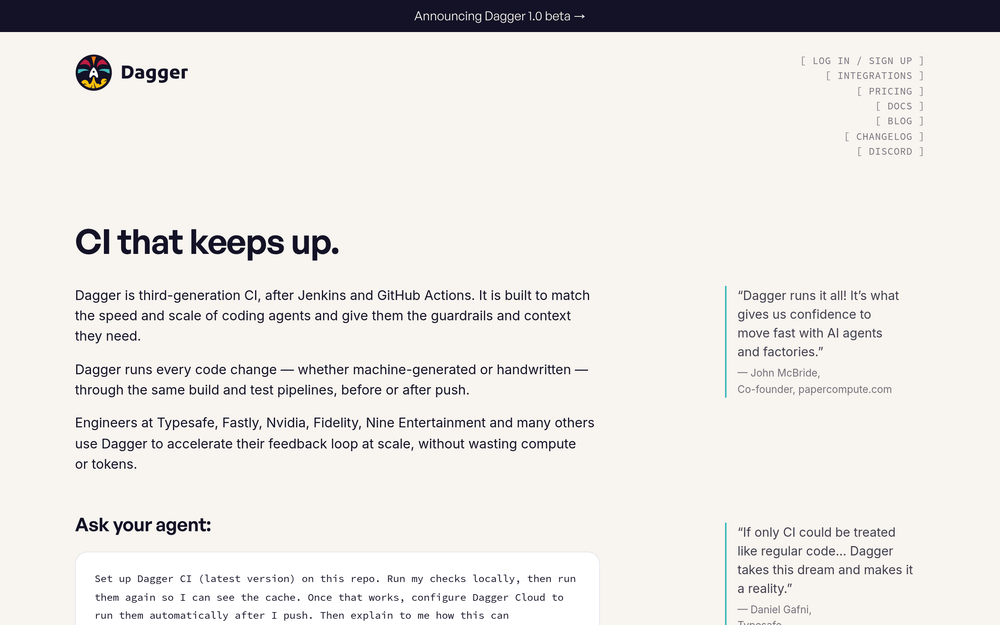
Dagger is a CI/CD platform that runs build and test pipelines for software teams, positioning itself as third-generation CI after Jenkins and GitHub Actions. It is built to match the speed and scale of coding agents, giving them guardrails and context while running every code change through the same pipelines before or after push.
Key features
- Toolchain detection and modules: Dagger detects a project's toolchains and recommends official modules for them, and teams can also write their own modules. Modules read native configuration, which eliminates proprietary YAML and config drift.
- Typed artifacts: Modules discover a project as typed artifacts such as source code, containers, binaries, generated files, and tests. Users select artifacts with typed filters and use them to automate the feedback loop.
- Test-native operation: Dagger sees each individual test, not only the job that runs them, with no change required to existing tests. When a test fails, it surfaces which test failed.
- Lazy incremental execution: Dagger computes artifacts lazily as an incremental DAG of sandboxed functions, running on a local machine or a shared remote engine.
- Vertically integrated engine: The sandbox, scheduler, container runtime, build cache, and tracing share one execution and data model, which Dagger states enables compute and token efficiency that siloed second-generation CI cannot reach.
- Interactive debugging: Users can get a shell in the same environment as CI at the moment it fails, including the same network when using remote execution.
- Dagger Cloud: Dagger Cloud can be configured to run checks automatically after a push.
Who is it for?
Dagger targets platform engineers, DevOps engineers, and engineering teams managing CI/CD at scale, including organizations adopting AI coding agents. It addresses the maintenance burden of proprietary YAML-based CI and the waste of compute and tokens when pipelines cannot keep pace with machine-generated code changes.
Use cases
- Pre-merge and post-merge gates: Teams use test results as a gate before or after merge, running every change through the same build and test pipelines.
- Preview environments: Artifacts discovered by modules can be used to run a preview environment for a change.
- Interactive failure inspection: Engineers drop into a shell in the same environment as a failing CI run, including the same network under remote execution.
- Local-first verification: Developers run checks locally, run them again to observe caching, then configure Dagger Cloud to run them automatically after push.
- Agent-driven workflows: Teams hand a coding agent a setup prompt to install Dagger CI on a repository, run checks locally, and configure Dagger Cloud.
Pricing
Public pricing was not listed in the source material. The source references Dagger 1.0 beta and Dagger Cloud but does not state plan tiers, free-tier terms, or prices.
What's new and trending
The source announces a Dagger 1.0 beta. It also frames Dagger as third-generation CI built for coding agents, and provides a copyable prompt that instructs a coding agent to set up Dagger CI on a repository, run checks locally, verify caching, and configure Dagger Cloud to run checks after push.
Getting started
The source offers a copyable prompt to paste into a coding agent: set up Dagger CI (latest version) on the repository, run checks locally, run them again to see the cache, then configure Dagger Cloud to run them automatically after push. A standalone public getting-started guide was not listed in the source.
Alternatives
The source names Jenkins and GitHub Actions as the first- and second-generation CI systems that Dagger follows. It also references bash-in-YAML-in-Git, Makefiles, mise, and homegrown Docker solutions as approaches Dagger supersedes.
FAQ
What is Dagger used for? Dagger is used to run build and test pipelines for every code change, whether machine-generated or handwritten, before or after push. It lets teams define CI in regular programming languages through modules, select typed artifacts such as source code, containers, and tests, and use results as merge gates, preview environments, or interactive debugging sessions.
Is Dagger free? Public pricing for Dagger was not listed in the source material, so free-tier and paid-plan details cannot be confirmed. The source references Dagger Cloud and a Dagger 1.0 beta but states no prices.
How is Dagger different from Jenkins and GitHub Actions? Dagger describes itself as third-generation CI, after Jenkins and GitHub Actions. It treats CI as regular code that can run anywhere rather than on a locked proprietary platform with its own DSL, and its sandbox, scheduler, container runtime, build cache, and tracing share one execution and data model instead of operating as separate silos.
Does Dagger require rewriting existing tests? No. Dagger is test-native and sees each of your tests without any change to them, according to the source. It surfaces which individual test failed rather than only the job that ran it.
Can Dagger run CI locally as well as remotely? Yes. Dagger computes artifacts as an incremental DAG of sandboxed functions on your machine or on a shared remote engine. Users can run checks locally, observe caching on a second run, and then configure Dagger Cloud to run them automatically after push.