

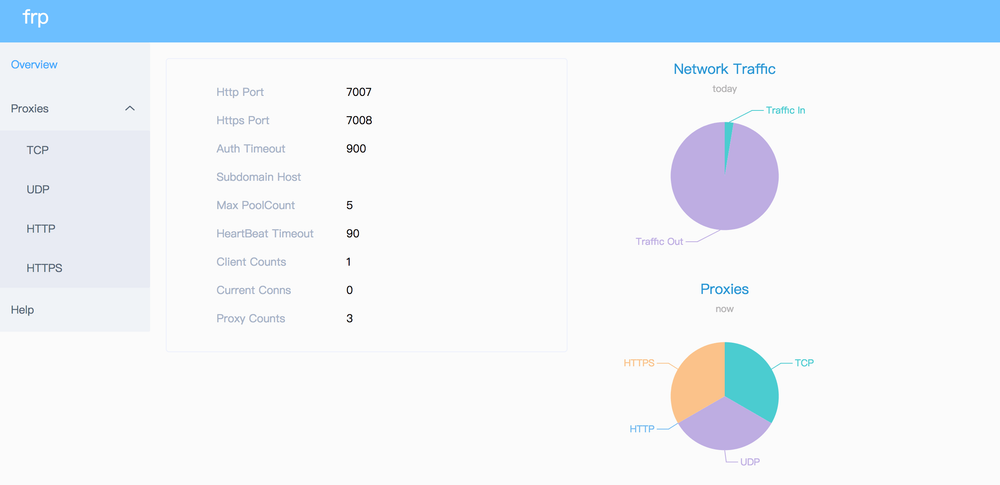
Overview
FRP (Fast Reverse Proxy) is an open-source networking tool for making a service reachable when it sits behind a NAT, firewall, or private network. Its documented model uses a server component, frps, on a machine with a public IP address and a client component, frpc, inside the protected network. The client creates the connection to the server, so an operator can route traffic to an internal service without giving that service a directly reachable public address. The official repository describes FRP as a reverse proxy for local servers behind NAT or firewalls and documents TCP, UDP, HTTP, HTTPS, and P2P modes.
FRP is software you run and configure yourself rather than a hosted tunnel subscription. That makes it relevant when an engineering team wants control over the relay host, configuration files, authentication, and network exposure. It also means the operator must supply and maintain the public server, install compatible client and server binaries, choose ports, protect credentials, and operate the resulting infrastructure.
Key Features
The official FRP site lists support for TCP, UDP, HTTP, and HTTPS, multiple proxy types, and P2P communication. The same source documents capabilities including encryption, compression, authentication, proxy rate limiting, and load balancing. The repository’s examples show custom-domain routing for internal web services and TCP forwarding for SSH access, while the release notes document a metrics server for health checks, metrics, and optional profiling in v0.72.0 (release notes).
FRP uses separate frps and frpc processes and TOML configuration in the current examples. Supported scenarios are broader than a single web tunnel: the repository documents TCP and UDP forwarding, HTTP/HTTPS virtual-host routing, tcpmux port sharing, and an xtcp-based P2P mode. Exact behavior depends on the selected proxy type, network conditions, and the configuration of the public server and private client.
Use Cases
A practical use case is reaching an SSH service on a machine in a LAN: the repository example maps the client’s local port 22 to a remote port on the public FRP server, after which an operator connects through that server (SSH example). Another is exposing an internal web application for testing with a custom domain through FRP’s HTTP or HTTPS virtual-host ports. Teams can also use it for forwarding UDP services, sharing multiple TCP services through tcpmux, or attempting peer-to-peer connectivity with xtcp where that mode fits the network.
These examples describe connectivity and routing, not a managed security boundary. Operators remain responsible for access control, TLS and certificates where applicable, firewall policy, updates, logging, and the security of the public relay.
Best for
FRP is best for developers, homelab operators, and infrastructure teams comfortable running a public Linux or other supported host and maintaining network services. It fits teams that need a configurable, self-managed path from the internet to services in a private network, or that prefer an open-source component over a vendor-controlled tunnel. It is less suitable for users who want a fully managed endpoint, automatic identity policy, turnkey DNS, or vendor-provided uptime and support; those are not documented as FRP’s product offering.
Alternatives
ngrok is a hosted tunneling service commonly chosen when quick, managed public URLs and vendor operations matter more than running the relay yourself; FRP is the self-managed reverse-proxy implementation. Tailscale is primarily a private mesh VPN and identity-oriented network, so it is a better distinction for connecting enrolled devices privately rather than publishing selected services through an FRP relay. Hookdeck is focused on receiving, inspecting, replaying, and routing webhooks; it is not a general-purpose NAT traversal reverse proxy, so it addresses webhook development workflows rather than FRP’s broad TCP/UDP/HTTP/HTTPS forwarding use case.
Pricing
FRP’s official repository identifies it as open source and links to sponsorship for development. The reviewed official sources do not publish a hosted subscription, commercial plan, or exact price for running FRP. There is also no documented official free-plan quota or service-level limit. The practical cost is therefore the infrastructure and operations needed to run the public server, plus any optional support or hosting purchased independently; those costs are not FRP prices.
Frequently Asked Questions
Is FRP a hosted tunnel service?
No. The official deployment example requires frps on a public-IP server and frpc on the internal machine, so FRP is software for self-managed deployment rather than a documented hosted relay plan (repository README).
Which protocols does FRP support?
The official site and repository document TCP, UDP, HTTP, and HTTPS proxying, plus P2P communication. The available proxy type and behavior depend on the configuration and network environment (official site).
Can FRP expose an internal website with a domain name?
Yes. The repository documents HTTP and HTTPS virtual-host configuration using customDomains and corresponding server-side vhost ports. DNS, certificates, and the domain itself still need to be arranged by the operator (web-service example).
Is FRP open source and self-hostable?
Yes. The repository is marked Apache-2.0, and its documented architecture is explicitly based on running the server and client components yourself (Apache License 2.0).
What should operators watch out for?
The official README warns that some antivirus products may incorrectly flag and delete frpc because reverse proxies can bypass firewall port restrictions. It also says the in-development v2 will not be compatible with v1, so operators should follow the stable release branch for production compatibility (development status and warning).



