Best for
Qase is best for QA and engineering teams that need one operational record for manual cases, automated execution, CI results, requirements coverage, and release decisions. It is a particularly practical fit for organizations moving beyond spreadsheets or separate automation dashboards without discarding the frameworks already used by developers. Manual-first teams can structure suites and reusable steps, while automation-heavy teams can send results from Playwright, Cypress, Selenium, Jest, and other supported tooling into the same workspace. QA leaders get dashboards and traceability across projects, environments, and releases; developers and product stakeholders can follow outcomes through collaborator access rather than becoming full test authors. Qase also suits teams experimenting with AI-assisted testing: its AIDEN features create cases from requirements and assess manual cases for automation, while the Qase MCP Server lets compatible assistants work against the actual testing system.
What it does
The workflow starts in the repository, where cases live in suites and describe a scenario, conditions, steps, test data, and expected results. Qase supports classic Action/Data/Expected-result steps and Given/When/Then Gherkin steps, nested child steps, reusable shared steps, parameters for repeated combinations, attachments, severity, priority, layer, milestone, flaky status, and automation status. A quick-create path captures a title immediately; the detailed form supports the full case and can send it to review. Cases receive project-prefixed identifiers, making them searchable and traceable across runs and defects.
Teams then assemble cases into test plans or runs and execute them across environments and configurations. Each run keeps environment, build, configuration, logs, and outcomes together. Manual results and automated framework output appear in one history, with filtering and grouping through Qase Query Language. Integrations connect Qase to CI/CD and issue-tracking work: the official product page names two-way synchronization with Jira, GitHub, and Azure DevOps, plus 35+ integrations overall, while the platform supports CI tools and frameworks such as GitHub Actions, Jenkins, Playwright, Cypress, and Selenium. This makes Qase useful when a release depends on both a human exploratory pass and repeatable pipeline checks.
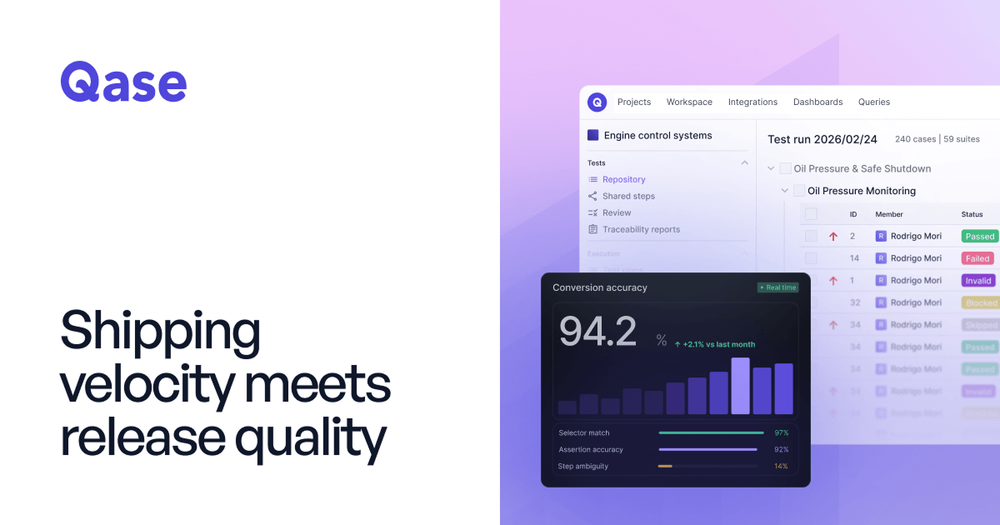
The analysis layer turns those records into customizable dashboards for coverage, pass rates, failure trends, flakiness, blockers, and cycle time. Requirement traceability links requirements to cases and results so a team can inspect what is covered, what is missing, and which scope was affected by a change. Readiness views and linked defects support a concrete go/no-go discussion instead of a spreadsheet assembled at the end of a sprint. Qase's AI can generate structured cases from requirements, grade existing manual cases by automation difficulty, and convert approved cases into scripts. The MCP server adds an external-assistant workflow: tools such as Claude or Cursor can retrieve projects, suites, runs, results, QQL-searchable data, execution history, and environments, then create or update cases. Human review remains part of the stated workflow.
Alternatives
- Meticulous AI is the closer choice for teams focused on automatically generated and maintained visual frontend browser regression tests. Unlike Qase's broader test-management system, it emphasizes visual UI coverage and removing test maintenance.
- Applitools is relevant when Visual AI and visual or functional end-to-end checking are the priority. Qase is the better comparison for organizing manual cases, CI results, requirements, and release traceability; Applitools is centered on detecting visual and functional defects.
- Playwright is the underlying open-source browser automation framework many teams use to write and run end-to-end tests. Qase complements rather than replaces it by storing cases, ingesting results, organizing runs, and reporting coverage across manual and automated work.
Pricing
Qase has a free tier and paid plans, so pricingType is Freemium. See the official pricing page. The current published model is per user per month: Free is $0 per user per month, forever, with up to four full seats, up to two projects, 500 MB storage, 30-day history, 5,000 API-submitted results per month, and the MCP Server. Teams is $35 per user per month when billed annually or $42 per user per month when billed monthly, with a 14-day trial and no credit card required. Teams adds unlimited projects, runs, and storage, 35+ integrations, SAML SSO, RBAC, audit logs, two-year history, requirements traceability, hosted MCP, and 2,000 monthly AI credits. Collaborator seats are listed at $10 per user per month. Enterprise uses custom pricing and adds capabilities such as unlimited users, multi-workspace SSO and SCIM, unlimited retention, dedicated support, and a 24/5 SLA. AI credits do not roll over; the pricing page lists extra credits at $0.40 each. Taxes may apply at checkout.
FAQ
Does Qase support both manual and automated testing? Yes. Qase stores manual cases and runs alongside automated results from connected frameworks and CI pipelines, giving teams a shared history and reporting view.
Can Qase convert manual cases into automation? Yes. Its AI analyzes cases for automation readiness and converts approved manual cases into automated scripts; the official product pages specifically cite Playwright, Cypress, and Selenium workflows.
What can the Qase MCP Server do? It lets compatible AI assistants retrieve testing data, search with QQL, create or update cases, and access runs, results, execution history, and environment data. The pricing update states that the MCP server is available on every plan, including Free; hosted MCP is a paid-plan feature.
How does Qase connect requirements to quality results? On supported paid plans, requirements can be linked to test cases and results through the traceability matrix, including requirements from connected tools such as Jira, GitHub, GitLab, Notion, and Confluence.
Is there a free trial of the paid plan? Yes. The Teams plan has a 14-day trial with no obligation and no credit card required. Enterprise pricing is custom and may use a paid proof of concept.