What is ihateimg.cv?
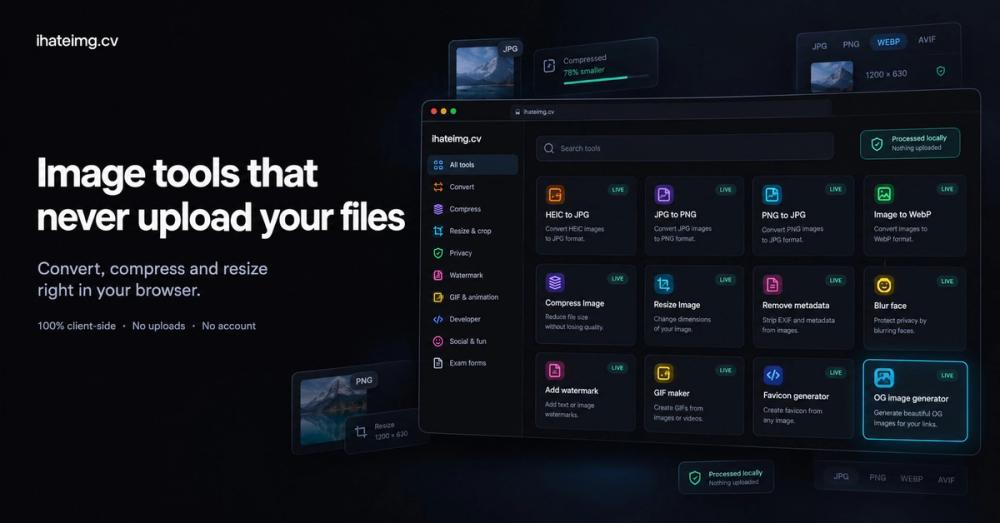
ihateimg.cv is a collection of 58 image tools that run entirely in your browser. Your files never leave your device: nothing is uploaded, there is no size limit, no watermark and no sign-up. It also works on mobile. The idea is simple: everyday image chores should be quick, free and private.
Key features
- Convert (12 tools): for example, HEIC to JPG and other format conversions.
- Compress (6): including compressing an image to an exact size in KB.
- Resize and crop (9): fit images to the dimensions you need.
- Privacy (5): remove EXIF and GPS metadata before you share.
- Watermark (2): add your mark to images.
- GIF (6): create and edit animated GIFs.
- Developer (8): for example favicon and Open Graph image generators.
- Social (5): sizes for social media posts.
- Exam forms (5): passport photos and exam photo resizers for application forms.
Why it stands out
- No uploads: all processing happens locally in your browser.
- No limits: no file size cap.
- No watermark: clean output every time.
- No account: open a tool and start.
- Mobile friendly: works on phones too.
Who is it for?
- Students resizing photos and signatures for exam and application forms
- Developers making favicons and OG images
- Privacy-conscious users removing location data
- Anyone converting iPhone HEIC photos
Use cases
- Compressing a photo to fit an upload limit
- Turning HEIC photos into JPGs
- Removing GPS data before posting online
- Creating a passport-size photo
- Generating a favicon for a new website
Pricing
The site advertises its tools as free, with no sign-up and no watermark. Visit ihateimg.cv for details.
Getting started
- Go to ihateimg.cv.
- Pick a category such as Convert or Compress.
- Choose your image. It stays on your device.
- Adjust settings and download the result.
Alternatives
RMBG PRO adds AI background removal and generation to a browser toolkit, and Figma handles full design work.
FAQ
Are my images uploaded? No. All tools run in your browser, and files never leave your device.
Is there a file size limit? No. The site says there is no size limit.
Do I need an account? No sign-up is required.
Can I compress an image to an exact size? Yes. A compression tool targets an exact size in KB.
Does it help with exam forms? Yes. Exam form tools include passport photo and exam photo resizers.
Does it work on phones? Yes. It works on mobile.