

Overview
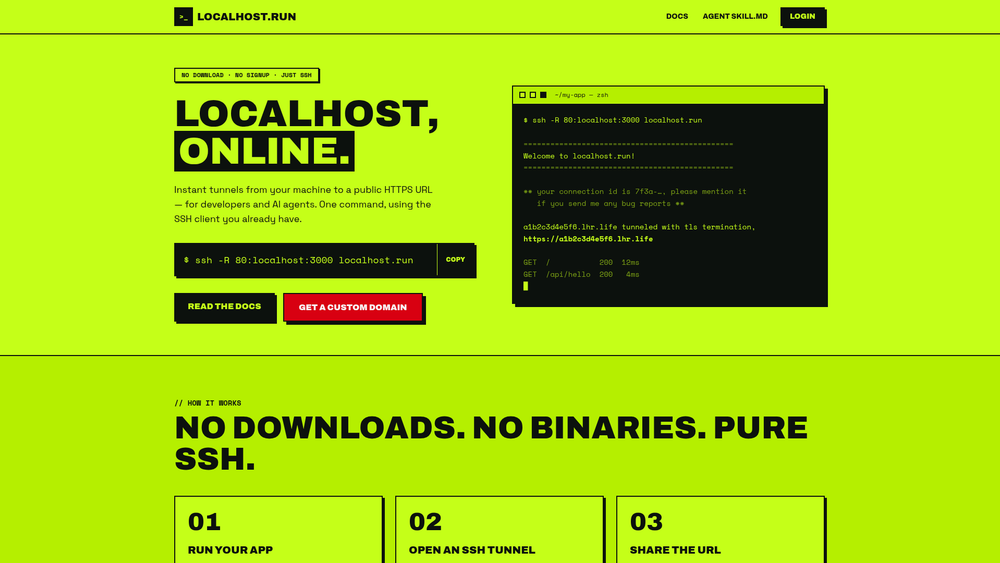
localhost.run is an SSH-based tunneling service for putting a locally running application on an internet-accessible URL. The basic workflow is deliberately small: start a local app, run ssh -R 80:localhost:3000 localhost.run, and use the public URL printed by the connection. The official documentation says that no client download is needed because the service uses SSH, which is commonly included with major operating systems, and that free domains do not require an account (The Basics). This makes localhost.run useful when a developer needs to show a work-in-progress site, receive a webhook on a laptop, or let an AI coding agent reach a local service without installing a separate tunnel binary.
The service is not a hosting platform: the application remains on the user’s machine, and the SSH connection must stay running while the tunnel is needed. localhost.run provides the internet-facing endpoint and forwards traffic back through the encrypted SSH tunnel. Its documentation describes automatic HTTPS endpoints for HTTP tunnels, while the security documentation explains that localhost.run terminates HTTPS and sends plain HTTP to the local app unless the user chooses TLS passthrough (HTTP Tunnels, Security).
Key Features
- Client-less SSH setup: A standard reverse-forwarding command exposes a local port without installing a localhost.run binary (CLI Reference).
- Public HTTPS for HTTP apps: A port-80 forward produces an HTTPS endpoint, with certificates and decryption handled by the service.
- Proxy awareness: HTTP requests can receive
X-Forwarded-For,X-Forwarded-Host,X-Forwarded-Proto, andForwardedheaders; the CLI can disable those headers (HTTP Tunnels, CLI Reference). - TLS passthrough: A port-443 forward sends encrypted connections to the app unchanged, so the app supplies its own certificate. The documentation restricts this mode to custom domains (TLS Passthru Tunnels).
- Stable domains: The paid plan supports a stable
.lhr.rockssubdomain or a user-owned domain, including wildcard subdomains (Custom Domains). - SSH-key authentication and agent-friendly instructions: The official
SKILL.mddocuments a repeatable workflow for coding agents, including local reachability checks, background SSH, JSON output, and tunnel verification (official SKILL.md). - Optional connection metadata controls: The CLI supports text or JSON event output, optional HTTP proxy headers, and Proxy Protocol v1 or v2 headers (CLI Reference).
Use Cases
localhost.run fits short-lived development and integration tasks. A developer can share a local frontend with a teammate or client, test a webhook provider against a laptop-hosted API, or expose a Raspberry Pi or other local HTTP service for a controlled demonstration. The official agent instructions specifically mention testing local applications in shared environments, CI/CD pipelines that require external access, and debugging remote issues (official SKILL.md). The HTTP documentation also describes using a TLS client with a non-HTTP service, such as PostgreSQL, although non-HTTP protocols are documented as available only with custom domains (HTTP Tunnels).
For a quick review or webhook experiment, the free anonymous tunnel is the natural starting point. For a recurring demo endpoint, a stable development URL, faster transfers, or several simultaneous tunnels, the custom-domain subscription is the more appropriate documented option. Teams should still treat the endpoint as internet-facing and secure the application itself; the service’s SSH encryption protects the tunnel, but it does not turn an exposed local application into a private service (Security).
Best for
localhost.run is best for developers who already have SSH, want the fewest moving parts, and need temporary or stable public access to an app that is running locally. It is particularly suitable for framework development, webhook and callback testing, agent-driven coding workflows, and demonstrations where installing a client or configuring a reverse proxy would slow the task down. It is less suitable when the requirement is permanent production hosting, a broad team access-control system, or a self-managed tunnel server: those capabilities are not documented by the official sources reviewed.
Alternatives
ngrok is a closer comparison when a user wants a dedicated tunneling product with its own client and broader account-managed workflow; localhost.run’s distinguishing approach is using the existing SSH client and a simple reverse-forward command. Tailscale is primarily a private mesh network for connecting trusted devices and services, so it addresses private network access rather than localhost.run’s public URL sharing use case. Hookdeck is focused on receiving, inspecting, replaying, and routing webhooks, not on being a general-purpose SSH tunnel for any local HTTP service. These products can overlap in a particular workflow, but they are not interchangeable in architecture or primary purpose.
Pricing
The official homepage and pricing documentation list a Free tier at $0, with no signup required, temporary domains for quick testing or sharing, and automatic HTTPS (localhost.run homepage, Forever Free). The free tier’s documented limitations are that domain names change regularly and a speed limit applies; the documentation says these restrictions help prevent phishing sites on localhost.run domains (Forever Free).
The paid Custom Domain plan is listed at $9 per month, billed annually. It includes a stable .lhr.rocks or user-owned domain, priority bandwidth, wildcard subdomains, TLS passthrough and TCP over TLS, and up to five simultaneous tunnels (localhost.run homepage, Custom Domains). The custom-domain documentation adds that the number of subdomains per month is limited by Let’s Encrypt certificate limits. The official sources reviewed do not publish a numeric free bandwidth cap, a numeric free tunnel duration, or additional plan tiers, so those details should not be assumed.
Frequently Asked Questions
1. Do I need to install a localhost.run client?
No. The official documentation says localhost.run uses the SSH client already available on major operating systems, so the basic tunnel requires no localhost.run download (The Basics).
2. Can I use localhost.run without signing up?
Yes, for free domains. The homepage and free-plan documentation say free short-lived tunnels require no signup. A custom-domain subscription requires an account and an SSH key (Forever Free, FAQ).
3. Will the free tunnel URL stay the same?
Not necessarily. Official documentation says free domain names change regularly, and the FAQ says free domains can change after a few hours. Adding an SSH key and avoiding the nokey user can make a free domain last longer, but the stable-domain guarantee belongs to the custom-domain plan (Forever Free, FAQ).
4. Can localhost.run expose HTTPS or non-HTTP services?
Yes, with documented distinctions. Port-80 forwarding gives an HTTPS endpoint while localhost.run decrypts traffic for the local app. Port-443 TLS passthrough sends encrypted traffic unchanged to the app, which must provide its own certificate; the docs state that non-HTTP protocols and TLS passthrough currently require custom domains (HTTP Tunnels, TLS Passthru Tunnels).
5. What happens if the SSH tunnel drops?
The official FAQ attributes drops commonly to TCP timeouts or internet routing changes and recommends ServerAliveInterval=60 SSH keepalives. It also suggests an external retry loop or autossh for auto-healing, noting that autossh’s own monitoring does not work with localhost.run (FAQ).



