Best for
Portkey is best for engineering teams moving from a single-model prototype to a production AI application that needs a stable integration boundary. It fits teams operating several providers, model families, environments, or customer workloads and wanting routing, reliability controls, usage visibility, and governance without rewriting every application call. It is also a credible fit for teams that need deployment choice: the hosted control plane and plans cover managed usage, while the official gateway is MIT-licensed and can be run locally or self-hosted. Teams building agents, multimodal features, internal AI platforms, or provider-agnostic SDK layers can use it as shared infrastructure rather than adding provider-specific failover and logging separately in each service.
What it does
Portkey puts an AI gateway between an application and model providers. The documented integration path uses a universal API with REST and SDKs; the homepage shows a Node.js example using the Portkey client and an OpenAI-compatible chat-completions shape. A team can define gateway configs instead of hard-coding operational behavior into application code. Those configs support automatic retries, provider or model fallbacks, conditional routing, weighted load balancing across keys or providers, circuit breakers, request timeouts, canary testing, and custom hosts for private or local models. The docs also list simple and semantic caching, multimodal requests, remote MCP connections, budget limits, and rate limits.
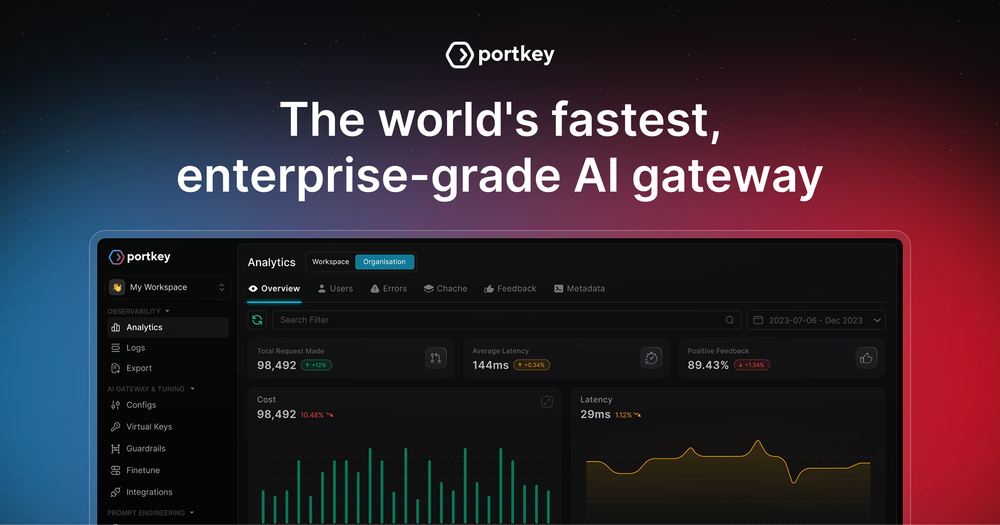
A practical workflow is to send requests through one gateway endpoint, attach provider credentials through Portkey’s key-management layer, and choose a model or route in the request/config. If a provider errors or reaches a limit, fallback and retry rules can move the request to another target; load balancing can distribute traffic across keys; timeouts stop unresponsive calls. The hosted platform adds logs, traces, feedback, metadata, filters, alerts, cost and usage views, prompt management, guardrails, RBAC, and—on higher tiers—SSO, private-cloud/VPC options, data exports, and custom retention. The official docs also provide a one-command local start (npx @portkey-ai/gateway), and the GitHub repository documents Docker, Node.js, Cloudflare, Kubernetes, AWS, Azure, and GCP deployment paths. That combination makes Portkey useful both as a managed production control layer and as a gateway component that a platform team operates itself.
Alternatives
- vLLM — a stronger fit when the main requirement is self-hosted, high-throughput inference serving for open models. Portkey is the routing, governance, and observability layer across providers; vLLM is the inference engine behind a model endpoint.
- Together AI — a managed AI cloud for serverless inference, dedicated endpoints, GPU clusters, and fine-tuning. Choose it when you want one provider’s infrastructure and model services; choose Portkey when you need to coordinate multiple providers or private endpoints through a common gateway.
- Braintrust — focused on tracing, scoring, evaluation, and improving LLM applications and agents. It overlaps with Portkey’s observability surface, but Portkey’s distinctive job is request mediation—routing, retries, fallbacks, keys, limits, and guardrails—at the gateway boundary.
Pricing
The official pricing page lists a Developer plan that is free forever with 10,000 recorded logs per month, a Production plan at $49/month with 100,000 recorded logs per month and $9 for each additional 100,000 requests, and an Enterprise plan with custom pricing. The page also lists an open-source “Host it Yourself” option and describes the gateway repository as open source; provider/model usage charges are separate concerns and are not presented as a Portkey subscription price here. The pricing page says Developer is for prototyping/testing and not production workloads, while Production is for teams deploying LLM apps. Features, retention, support, deployment, and governance differ by tier, so confirm the current plan page before purchase.
FAQ
What does Portkey sit between? It sits between an AI application and model or AI providers, exposing a unified API and applying gateway configuration, logging, routing, and controls to requests.
Can Portkey fail over when a model provider fails? Yes. The official gateway documentation lists fallbacks between providers and models, automatic retries, circuit breakers, request timeouts, and load balancing; the exact behavior comes from the configured strategy and conditions.
Can I run the gateway myself? Yes. The official docs show npx @portkey-ai/gateway, and the project is published under the MIT license. Documentation also describes self-hosting and deployment options including Docker and Kubernetes; managed enterprise capabilities and support are separate from the open-source gateway.
Does it support non-text AI requests and MCP? The official feature and docs pages list vision, audio, and image-generation models, plus remote MCP support. Portkey also documents an MCP Gateway for centralized authentication, access control, identity forwarding, and observability of MCP servers.
How much does the hosted service cost? The published prices are Free Forever for Developer, $49/month for Production, and custom pricing for Enterprise. Developer includes 10,000 recorded logs per month; Production includes 100,000 and lists $9 overage per additional 100,000 requests.