Overview
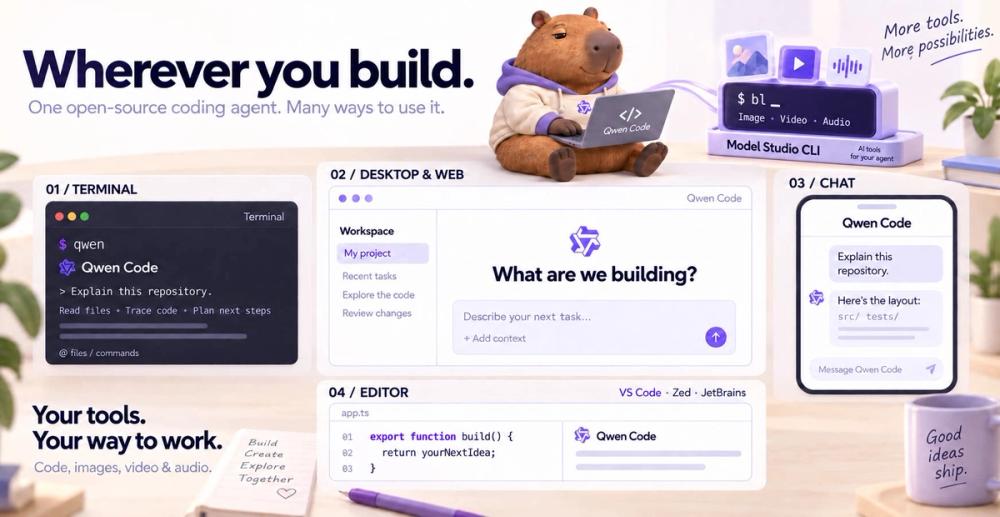
Qwen Code is an open-source coding agent that works from a terminal and can also connect to editor, desktop, browser, and chat workflows documented by the project. It is designed to read and modify code, use tools, and complete multi-step development tasks under configurable approval controls. Unlike a tool tied to one model service, Qwen Code documents support for Qwen and multiple other model providers, including compatible APIs and local model endpoints (Qwen Code project, official repository).
The CLI and its agent harness are Apache-2.0 licensed and run in the user’s development environment. Teams can choose hosted model APIs or configure a local provider endpoint such as Ollama or vLLM, depending on the provider and model capabilities. Running the Qwen Code CLI locally does not by itself mean that model inference is local; the actual data path depends on the selected provider. The project’s latest stable release is v0.27.3, published November 13, 2026. A separate v1.0 Preview release is also available, and should be treated as preview software rather than the stable channel (official releases).
Key Features
Qwen Code can work with a repository through a conversational terminal interface, invoke tools, and break work into agent tasks. Official project materials list skills, subagents and teams, MCP connections, memory, workflows, headless scripting, and SDK support. Its provider configuration is intended to allow model choice to vary by task or deployment; supported features, context limits, and authentication steps still differ between providers (quickstart, authentication guide).
The approval-mode guide gives users explicit control over how much the agent may do. Plan mode is for analysis without edits, Ask Permissions prompts before tool actions, Auto-Edit permits file changes while retaining other controls, Auto allows broader autonomous work, and YOLO removes approval prompts. These modes are not equivalent in risk; the official docs recommend choosing a mode consistent with the task and trust boundary (approval modes).
For installation, the official quickstart documents standalone setup and npm installation, with Node.js 22 or newer required for the npm path. Authentication options include Qwen account sign-in, Qwen Cloud API access, Alibaba Model Studio, third-party-compatible services, and local model endpoints. This provider flexibility can be useful, but it means users should check provider-specific credentials, billing, and capability support rather than assuming one shared quota applies across every configuration.
Use Cases
Qwen Code is suited to asking an agent to explain a repository, implement a change, run project commands, or carry out repeated coding tasks from a terminal. The project’s provider choices also make it relevant to developers who want to compare Qwen models with compatible hosted models or point the tool at an inference service they operate. Teams can use its approval modes to start with read-only planning and add edit or command permissions only when the task requires them. For automated workflows, the documented headless and SDK interfaces can connect coding tasks to scripts or larger systems, with provider credentials and execution permissions managed as part of the deployment.
Best for
Qwen Code is best for developers who want an open-source, provider-flexible coding agent and are comfortable configuring model access and terminal permissions. It is especially useful for teams evaluating Qwen models, using a compatible API, or connecting a local inference endpoint. It may be less convenient for users who want one bundled hosted subscription with a single predictable quota: provider plans, usage limits, and feature support vary, and the CLI does not make those costs uniform.
Alternatives
OpenCode is a close alternative for developers who want a provider-flexible, open-source coding agent in the terminal. Cursor is an alternative for people who prefer a full graphical editor with integrated agent and code-review workflows. GitHub Copilot is a broader option for coding assistance integrated with GitHub and supported development environments.
Pricing
Qwen Code itself is open-source Apache-2.0 software; the official sources reviewed do not state a separate license fee for the CLI. Model and inference use may have separate costs. The authentication guide says Qwen account OAuth requires a Plus or Pro subscription; Qwen Cloud offers a monthly-credit Token Plan or pay-as-you-go API key, and Alibaba Model Studio offers Coding Plan, Token Plan, or API-key options. Third-party and local providers may have different charges or no provider fee, while still requiring operator hardware and electricity. Exact current subscription prices, API rates, quotas, and plan-specific limits were not stated in the reviewed docs and should be checked with the chosen provider (authentication guide).
Frequently Asked Questions
1. Is Qwen Code limited to Qwen models?
No. The official authentication documentation lists Qwen and other supported hosted providers, compatible API services, and local model endpoints. Model-specific features and authentication still vary, so check the provider documentation for the model you plan to use.
2. Can Qwen Code use a model running on my own machine?
The official docs support local model endpoints, including setups such as Ollama or vLLM. That allows a locally served model to provide inference, but the user supplies compatible hardware, model files, and the endpoint configuration. The Qwen Code client being local does not automatically make a hosted provider’s inference local.
3. What is the safest approval mode to start with?
The official guide describes Plan mode as suitable for planning without edits and Ask Permissions as prompting before actions. Auto-Edit, Auto, and YOLO permit progressively broader activity. Start with the narrowest mode that can complete the task, especially in repositories containing credentials or production deployment scripts.
4. Is there a free plan or included model quota?
The CLI is open-source, but model usage is determined by the selected provider. Qwen OAuth requires a Plus or Pro subscription according to the official authentication page; Qwen Cloud and Alibaba Model Studio also offer credit-based or pay-as-you-go options. The reviewed sources do not document a universal free inference quota that applies across Qwen Code’s providers.
5. What does the v1.0 Preview release mean?
The official release page lists v1.0 Preview separately from the latest stable v0.27.3. The preview is a pre-release channel, so users who prioritize stability should use the stable release unless they specifically want to evaluate preview changes and accept that APIs or behavior may change.