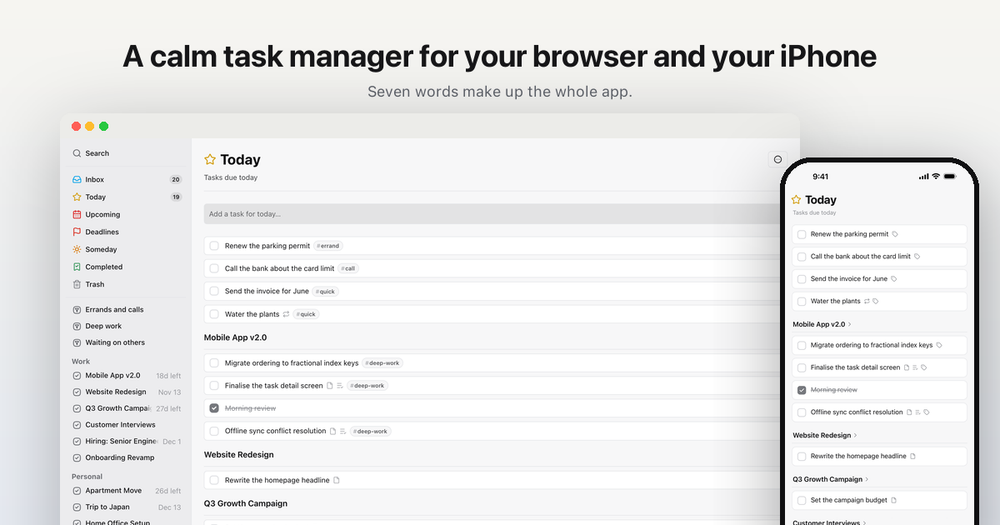
What is TaskPocket?
TaskPocket is a to-do app for the browser and iPhone that tries to get out of your way. Its tagline is "Do the work. Not the list." The whole app is built on seven words: Task, Area, Inbox, Project, Someday, Start date and Deadline. There is no method to learn and no complex setup. You capture tasks, give them a place and a date, and get on with your day.
Key features
- Seven core concepts: tasks, areas, inbox, projects, someday, start dates and deadlines.
- Focused views: Today, Upcoming and Deadlines.
- Notes: formatting and checklists inside tasks.
- Tags and smart projects: tags work on every plan, and a smart project is a saved filter.
- Attachments: files on tasks, with storage limits that increase on Premium.
- Browser and iPhone: use it on the web or with the App Store app.
- Export: take your data out as JSON.
- Bring your own assistant: an MCP server and an API, both on the free plan.
Privacy and business model
TaskPocket says its business model is simple: users pay, and nothing is sold or scanned. You can connect your own AI assistant, and whatever that assistant costs stays between you and its provider.
Who is it for?
- People who find big productivity systems overwhelming
- Freelancers juggling client projects and deadlines
- iPhone users who also want a browser version
- Users who want to connect an AI assistant to their tasks
Use cases
- Planning today with start dates and deadlines
- Parking ideas in Someday
- Organizing work and personal life into areas
- Letting an AI assistant add or read tasks through MCP
Pricing
TaskPocket offers a free plan with no credit card required, plus a Premium plan with higher limits. See taskpocket.io/pricing for current prices.
Getting started
- Visit taskpocket.io and click "Start my list — free".
- Add tasks to your Inbox.
- Move them into areas or projects and set start dates or deadlines.
- Check the Today view each morning.
- Install the iPhone app to take your list with you.
Alternatives
For a broader workspace that also handles tasks, see Notion.
FAQ
Is TaskPocket free? Yes. There is a free plan with no credit card required, and Premium raises the limits.
Which devices does TaskPocket support? Browser and iPhone.
Can I export my data? Yes. You can export to JSON.
Does TaskPocket work with AI assistants? Yes. It offers an MCP server and an API on the free plan.
Does TaskPocket sell my data? No. Its model is that users pay, and nothing is sold or scanned.