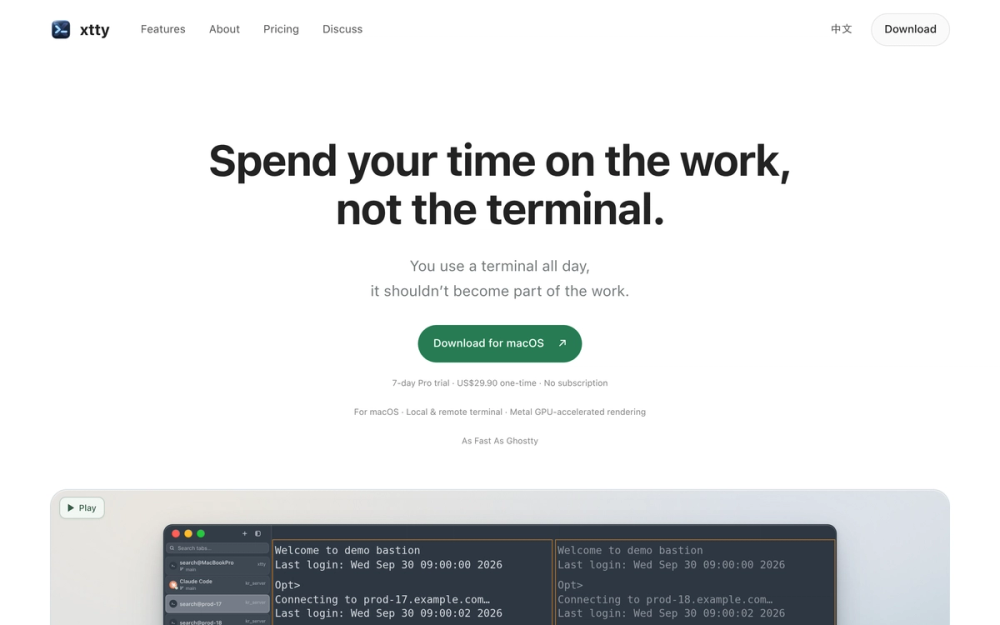
What is xtty?
xtty is a local and remote terminal for macOS that combines Metal GPU-accelerated rendering with built-in SSH session management and agent workflows. It is built on Zed's GPUI and renders local shells and terminal output as fast as Ghostty, while adding features that reduce repeated setup work across remote connections.
Key features
- Metal GPU-accelerated rendering: Local shells and terminal output render through Metal on top of Zed's GPUI framework, with performance the source describes as as fast as Ghostty.
- Remote sessions with jump hosts: xtty reads the existing SSH configuration and handles jump host connection paths, so users choose a server and the terminal manages the route to it.
- Keychain credential autofill: When a familiar prompt appears, xtty fills the matching credential from the macOS Keychain, and saved credentials stay local in Keychain.
- Sessions and tabs: New tabs can open on the same host in the same working directory without issuing another SSH command.
- Broadcast input: A command typed once can be sent to selected panes only, giving control over which sessions receive it.
- File transfer: Upload and download files via sz/rz from within a remote session that is already open.
- Agent status tracking: Claude Code and Codex agent sessions show status at a glance as Working, Needs You, or Done, so users can jump back to the session that needs attention.
- Terminal customization: Tabs can sit on the side or top, splits and panes can be dragged, snapped, and resized, and users can set fonts, sizes, line heights, ligatures, and themes that follow macOS appearance or custom colors.
- Search and command palette: Scrollback search supports case matching and regular expressions, and the command palette finds actions and saved SSH profiles. Cmd-click opens URLs and file paths directly from the terminal, and keybindings are configurable.
Who is it for?
xtty targets macOS developers who spend the day in a terminal and regularly work across local shells and remote servers, particularly those using SSH jump hosts, running Claude Code or Codex agents, or repeating the same connection and authentication steps. It addresses the overhead of retracing connections, retyping credentials, and manually tracking which agent session needs input.
Use cases
- Remote server work: A developer selects a server from saved SSH profiles and reaches the working directory through a jump host without rebuilding the connection path each time.
- Multi-pane operations: A team member broadcasts a single command to selected panes while leaving other sessions untouched.
- Agent supervision: Someone running Claude Code or Codex sessions checks per-agent status and jumps back to the session marked Needs You.
- File movement during a session: A developer uploads or downloads files with sz/rz from the remote session already in use rather than opening a separate transfer tool.
- Local builds and shell work: A macOS user runs local commands such as cargo builds in a GPU-accelerated terminal with configurable fonts, themes, and keybindings.
Pricing
xtty is a one-time purchase priced at US$29.90 with no subscription, and a 7-day Pro trial is available.
What's new and trending
The source material does not document a release date, version number, or changelog, so recent release notes were not published in the provided content. The features highlighted on the site include Metal GPU-accelerated rendering via Zed's GPUI, agent status tracking for Claude Code and Codex, and SSH jump host support.
Getting started
Developers download xtty for macOS from the website and can begin with the 7-day Pro trial. Because xtty uses the existing shell, SSH configuration, and keys, setup builds on the environment already in place rather than requiring a new configuration. A public getting-started guide was not listed in the source.
Alternatives
The source names Ghostty as a performance comparison point for rendering speed but does not present it or any other product as a direct alternative. No alternatives are otherwise named.
FAQ
What is xtty used for? xtty is a macOS terminal for local and remote work that combines GPU-accelerated rendering with SSH session management, jump host support, Keychain credential autofill, broadcast input, file transfer, and agent status tracking for Claude Code and Codex.
Is xtty free? xtty is not free; it costs US$29.90 as a one-time purchase with no subscription, though a 7-day Pro trial is offered.
Does xtty work with existing SSH configuration and keys? Yes. xtty connects using the SSH configuration and keys already in place, and saved credentials are stored locally in the macOS Keychain.
What rendering technology does xtty use? xtty uses Zed's GPUI framework with Metal GPU-accelerated rendering, which the source describes as as fast as Ghostty for local shells and terminal output.
Which AI agents does xtty track? xtty shows status for Claude Code and Codex agent sessions, displaying each as Working, Needs You, or Done so users can return to the session that requires attention.