

Overview
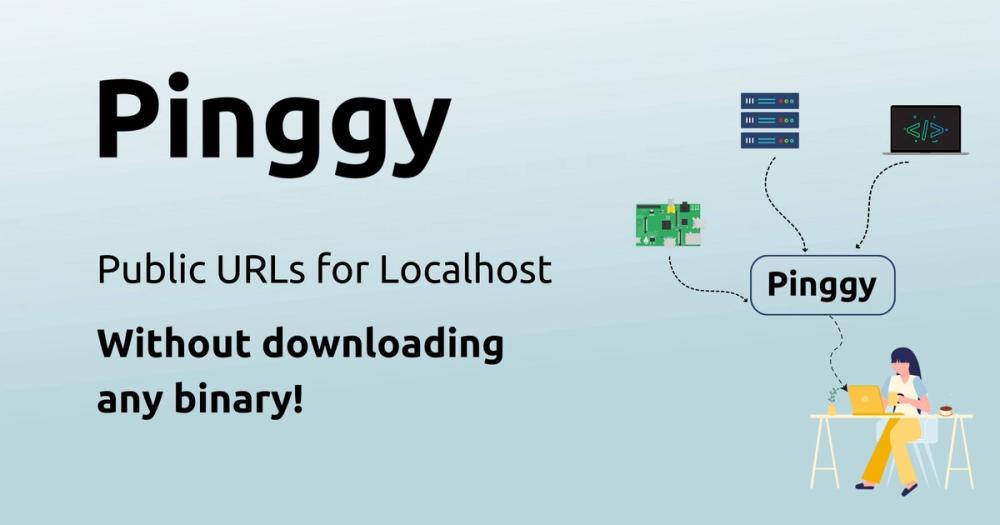
Pinggy is a localhost tunneling service for making a service running on your computer reachable through a public URL. Its basic path uses an ordinary SSH command, so the official quickstart says that no binary download or signup is required for the first tunnel; the documentation shows a command that forwards a local port such as localhost:8000 and returns HTTP and HTTPS URLs in the quickstart. The connection is outbound from the local machine, which means the documented setup does not require port forwarding or firewall changes on the product homepage.
Pinggy is aimed at development and controlled remote access rather than general-purpose cloud hosting. The local service remains on your machine while Pinggy supplies the public entry point. Free tunnel URLs are temporary and change when a new tunnel is created, while persistent subdomains and custom domains are documented as Pro features in the HTTP tunnel guide and on the homepage.
Key Features
Pinggy supports HTTP(S), TCP, UDP, TLS, and TLS-over-TCP tunnel types. HTTP tunnels can terminate TLS at a Pinggy-issued certificate, while the TLS tunnel documentation describes end-to-end encryption in which Pinggy routes using SNI without decrypting the application traffic on the official homepage and in the tunnel documentation.
For inspecting web traffic, Pinggy provides a Web Debugger that can inspect HTTP and HTTPS requests, show headers, modify headers, and replay requests. The product page describes both a browser-based debugger in the dashboard and a terminal interface with request logs, headers, bandwidth, and counters on the homepage; the app page also documents live monitoring and request replay for the desktop app.
Access controls documented by Pinggy include HTTP Basic Authentication, bearer-token or key authentication, and IP allowlists. Domain features include random subdomains on Free, persistent subdomains on Pro, custom domains, and wildcard-domain routing in the official feature overview and the documentation index.
There are several ways to run a tunnel. The CLI provides auto-reconnecting tunnels, background daemons, lifecycle commands, saved configurations, logs, boot-time service installation, and remote management on the official CLI page and in its Apache-2.0 GitHub repository. The desktop app is offered for macOS, Windows, and Linux and includes saved presets for applications such as Next.js, Express, Apache, and Minecraft on the official app page. Official documentation also covers pre-built Docker images, Docker Compose, a Node.js SDK, and a Python SDK in the Docker and quickstart guides [https://pinggy.io/docs/].
Pinggy additionally documents an AI-agent skill and an MCP server. The skill supplies instructions that an agent can follow, while the MCP server lets compatible clients start, stop, inspect, and manage tunnels through tool calls in Pinggy’s AI-agent documentation.
Use Cases
Pinggy is useful for sharing a local website or API for a demo without uploading it to a hosting platform. It can also receive third-party webhooks during development; Pinggy’s official recipes explicitly cover Stripe, GitHub, Telegram, Slack, and other integrations in the quickstart recipes.
TCP tunnels fit non-HTTP services such as SSH, databases, and remote desktop connections, while UDP tunnels are documented for game servers, VoIP, DNS, WireGuard, and similar datagram traffic in the official tunnel overview and UDP documentation. The official guides also cover Raspberry Pi and IoT access, IP cameras, Kubernetes services, PostgreSQL, Docker Compose services, and local Next.js or Apache/Nginx applications in the documented guides.
For teams, Pinggy documents shared team access, Pinggy Devices, remote management, and APIs. Those features are more relevant when a tunnel must remain available for a device or be operated by more than one person than when someone only needs a short-lived demo URL in the documentation index.
Best for
Pinggy is best for developers who need a fast public URL for a local web app, webhook endpoint, API, file server, database, game server, or IoT device. It is especially suitable when avoiding inbound firewall configuration matters, when the service uses UDP or TLS rather than only HTTP, or when a developer wants request inspection alongside the tunnel. The SSH-first workflow is also a good fit for a machine where installing a dedicated client is undesirable.
It is less suitable as a replacement for a full cloud host: the origin service still runs on the user’s machine, free URLs are temporary, and the official free plan documents a 60-minute tunnel timeout on the homepage.
Alternatives
ngrok is the closest comparison when the primary need is developer-oriented ingress and request inspection, but Pinggy’s documented protocol mix includes UDP and TLS and its access-control options include IP whitelisting in Pinggy’s comparison. Tailscale addresses private, identity-based networking between devices rather than primarily publishing a local service through a public URL, so it is a different choice when the audience should be a controlled tailnet instead of the public internet. Hookdeck is focused on webhook routing and inspection workflows; Pinggy is broader as a general tunnel for HTTP(S), TCP, UDP, TLS, databases, games, and devices in Pinggy’s official documentation.
Pricing
Pinggy’s homepage documents a Free plan at $0 per month, available free for life. The listed Free features include HTTP(S), TCP, UDP, and TLS tunnels, live header manipulation, request inspection and replay, a 60-minute tunnel timeout, one Pinggy Device with a remote terminal, random subdomains, and unlimited data transfer on the official pricing section. The same page documents Pro with persistent tunnels, custom subdomains and domains, persistent TCP/UDP ports, teams, 25 Pinggy Devices with three terminals each, wildcard domains, unlimited data transfer, and priority support. An official Pinggy comparison page states Pro at $3.00 per month, but it also says its comparison information was based on July 2025; the current homepage’s dynamically rendered annual and monthly numeric fields were not exposed in the reviewed text, so a current annual price is not verified in the official sources reviewed in the comparison. Enterprise is described as custom-priced and includes dedicated servers or on-premise infrastructure, unlimited persistent tunnels, unlimited domains, API access, and priority support on the homepage.
Frequently Asked Questions
Does Pinggy require an installed client?
Not for the basic SSH workflow. Pinggy’s quickstart shows an SSH command that creates a tunnel, while the official CLI, app, Docker image, and SDKs are optional ways to use more features or integrate the service in the quickstart.
Which protocols can Pinggy tunnel?
The official product documentation lists HTTP(S), TCP, UDP, TLS, and TLS-over-TCP. UDP requires the Pinggy CLI or another supported client path because plain SSH carries TCP traffic on the homepage and in the documentation index.
Are free Pinggy URLs permanent?
No. The HTTP tunnel documentation says URLs change when a new tunnel is created. Persistent subdomains, custom domains, and persistent TCP/UDP ports are documented as Pro capabilities in the HTTP tunnel guide and on the pricing section.
Can Pinggy inspect webhook requests?
Yes. Its Web Debugger can inspect HTTP/HTTPS requests and responses, view headers, modify headers, and replay requests. Pinggy’s official recipes specifically include webhook testing for services such as Stripe on the homepage and in the Stripe guide.
Can Pinggy be self-hosted?
The reviewed official documentation explains using Pinggy’s hosted SSH service, CLI, app, Docker image, and SDKs. The homepage mentions dedicated servers or on-premise infrastructure for Enterprise, but I did not find official documentation describing a generally self-hostable Pinggy server or a self-hosting deployment procedure on the homepage and in the Docker documentation.



